



Matte-laminated sales cards won’t take ballpoint writing: change the film or leave the back blank when reprinting?
When a business card is matte laminated and ballpoint ink won’t write or smudges with a rub, most of the time the problem is not the pen, and it is not necessarily poor film quality; the lamination has replaced the ink-absorbing paper surface with a non-absorbing film surface. Based on 2026 project delivery practice, it is better to reverse the order of judgment: first confirm whether the card will be handwritten, stamped, or labeled after it is distributed, and then decide between full lamination, spot lamination, or leaving the back blank. Asking only “which film can be written on” often means discovering after a bulk order that a reprint is needed.
1. Before blaming the pen: lamination has swapped out the ink-absorbing paper surface
Paper can be written on because there are pores between fibers; ink penetrates, the solvent evaporates, and the ink is held. After lamination, what touches the pen tip is a film plus adhesive layer, and the pore structure is gone. Ballpoint pens rely on the adhesion of oil-based ink, while gel pens rely on pigment particle deposition; both need some roughness and surface energy to adhere, and film surfaces are relatively smooth, so ink tends to stay on the surface.
Stamping works the same way. Stamp pad ink and atomic stamp ink do not penetrate the film surface; after stamping, if cards are stacked or put into a card holder, they can transfer to adjacent cards.Any coloring method that relies on “soaking in”—handwriting, stamping, inkjet coding—will be weakened on a laminated surface, and this is not solved by switching to a more expensive film.
- Gloss lamination: denser surface, weaker writing performance, better dirt and water resistance;
- Matte lamination: has a slight frosted feel and is slightly better than gloss lamination, but ordinary matte film still does not absorb ink;
- Soft-touch film: feels like paper, which does not mean it is writable; check the specific batch and the actual pen used;
- Water-based varnish or UV varnish: thin coating; some options are writable, but abrasion and dirt resistance are weaker than lamination;
- Spot lamination or spot UV: leaving an unlaminated writing area is a common compromise.
2. Which business cards should include “writable” in delivery requirements
For business cards used by sales, agents, property management, repair, and wholesale staff, the back is often used to write prices, unit numbers, and the next contact time; membership cards, stored-value cards, sample cards, and registration cards also often need on-site writing or stamping. For these materials, “writable” is worth specifying in delivery requirements in advance, just like size and grammage, rather than waiting for frontline feedback that writing fails and then reworking.
The other side is exactly the opposite: invitation cards, collectible cards, and gift-box cards for display only are not expected to be written on, and the dirt resistance, feel, and appearance brought by lamination matter more. Sacrificing overall texture for a few writing scenarios is usually not cost-effective. Use the following points for a quick judgment:
- After this card is distributed, will the recipient write on it? Asking frontline sales is usually more accurate than asking only the marketing department;
- Does it need on-site stamping, labeling, or handwritten numbering?
- Will it be put into a card holder or pocket and rubbed repeatedly?
- Does it need long-term storage or to be kept as a voucher?
One type of project constraint is very typical: the marketing department wants full matte lamination to improve texture, while frontline sales need to write unit numbers, quotes, and the next contact time on the back; the print run is not large, and only a few days are left in the lead time. The approach is to split the front and back into two versions: matte laminate the front, leave the back unlaminated, and reserve a writing area of about 30 mm near the edge; mark the lamination area and writing area clearly on the die-cut line drawing when outputting the film. The result is that the front appearance is preserved and the back is writable; the cost is an extra imposition check, and re-outputting films by version commonly adds 3–5 business days within the experience range, with cost calculated separately. Compared with a separate reprint batch, this is usually easier to amortize, but it still needs to be confirmed against the printer’s quote.
3. If you need both texture and writability, split by handwriting frequency into three tiers—don’t choose the film type first
The reason for this split is straightforward: the strength of the writing need determines whether full lamination can be used, rather than choosing a film type first and working backward to the use case. The three tiers correspond to three process combinations that can be decided before final artwork and are convenient to discuss with the printer.
- High-frequency handwriting (sales cards, registration cards, repair cards): prioritize no lamination and choose uncoated paper or offset paper with better ink absorption; if stiffness is needed, increase grammage, and use debossing, foil stamping, or embossing to replace lamination for texture.
- Occasional writing (membership cards, sample cards): laminate the front and leave the back blank, or use spot lamination to leave a writing area about 30 mm wide (experience range), and clearly mark the position on the artwork.
- Stamping and labeling only (certificates, hangtags, price tags): a spot blank area is enough, or use water-based varnish instead of full lamination; fix the stamping position during layout.
Putting four common approaches side by side makes the trade-offs clearer:
- Full matte lamination: weak writability, better dirt resistance and feel; conventional process; lead time follows the regular business card cycle; unit price in the medium range.
- Unlaminated back: better writability, somewhat weaker dirt resistance; one less lamination step; lead time commonly 1–2 business days shorter, and unit price commonly a few percentage points to 10–20% lower, depending on paper and quantity.
- Spot lamination: front texture close to full lamination, and the blank area is writable; one more positioning and waste-removal step; lead time commonly 1–3 business days longer, and unit price commonly one tier higher.
- Water-based varnish: writability varies with oil type and coating weight, so sampling is recommended; abrasion resistance is weaker than lamination; process and lead time are close to conventional.
4. For acceptance, don’t just hear “this film is writable”—test it on the spot with the actual pen
When a film manufacturer says a film is writable, it usually means the result under a specific pen, specific pressure, and specific temperature and humidity; change the pen or the season, and the conclusion may change. A more reliable approach is to run a simple test with a physical sample before placing a bulk order and keep the result as a record.
- Draw a line with each pen that will actually be used—test ballpoint, gel pen, and oil-based marker separately;
- Wait 30 seconds, rub sideways three times with a finger, and see whether the color comes off;
- After stamping, stack the cards for 10 minutes and see whether ink transfers to adjacent cards;
- Put the card into a card holder or pocket and rub it a few times to see whether the edges and corners smudge;
- Write into the delivery notes which pen works and which area is writable, and provide it to the customer together with the files.
The cost of this step is usually in the experience range of tens to hundreds of RMB, depending on whether a separate sample is needed; compared with reprinting a batch of cards, this cost is usually easier to accept. Conversely, placing a bulk order based only on the sentence “our film is writable” is a common pitfall in this type of problem.
5. Applicable and non-applicable boundaries
Applicable: card-type materials that will be handwritten or stamped on site, with small batch sizes, sensitivity to reprint costs, and frontline feedback that writing has failed. For these materials, specifying “writable” in the requirements in advance is much less troublesome than remedying it afterward.
Not applicable: invitation cards and gift-box cards mainly for display and collection, which are not intended for writing in the first place; large-format materials such as posters, display boards, and packaging boxes are also not recommended to sacrifice the dirt resistance and strength brought by lamination for writability.If more than 90% of a card will not be written on after distribution, giving up the feel and dirt resistance of lamination for a small number of cases is usually not cost-effective.
Frequently asked questions
Can a matte-laminated business card be written on with an oil-based marker?
It usually adheres only briefly and dries slowly; hand sweat and friction can easily remove it, so it is not suitable for information that needs to be kept long term. For records, write on the unlaminated side or apply a writable label.
A batch has already been printed and can’t be written on—besides reprinting, what remedies are there?
You can add writable labels, print a writing area in the blank space, or apply spot matte treatment to the back. Chemical treatment after full lamination carries higher risk and is often less controllable than reprinting a batch with an unlaminated back.
Are unlaminated business cards easy to get dirty and curl at the edges?
Uncoated paper and offset paper are indeed more prone to dirt absorption and edge curling, especially with large light-colored blank areas and when frequently put in pockets. You can increase grammage, use debossing or foil stamping to add texture, and avoid large light-colored backgrounds.
Soft-touch film feels like paper—does that mean it can be written on?
Not necessarily. Soft-touch film only has a slight velvety surface that can catch a little ink, but results vary greatly by batch and pen. It is recommended to test a physical sample with the actual pen before deciding.
If a business card needs both stamping and lamination, is there a compromise?
A common approach is to leave an unlaminated window at the stamping position for spot lamination, or place the stamping area in the blank area on the back. The key is to fix the stamping position before outputting the film, not to look for a position after printing.
If the card will be written on with a pen or used for stamping after it is distributed, treat “writable” as a delivery metric first, mark the writing area and lamination area at the artwork stage, and run a physical test with the actual pen before placing a bulk order. If it is only for display and collection, prioritize lamination and do not sacrifice dirt resistance and feel for a small number of writing needs. For the specific film type and process combination, check the printer’s current sample sheets and platform specifications before deciding.
-
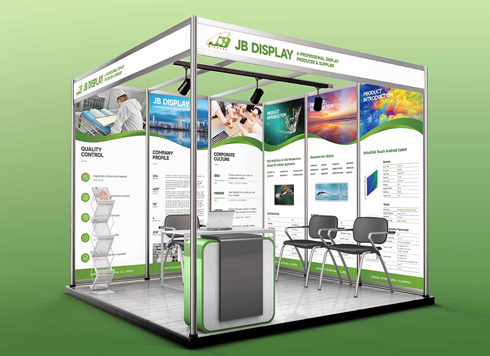 Booth Poster Design for Professional Monitor Product Suppliers
The standard exhibition booth poster projec ...
-
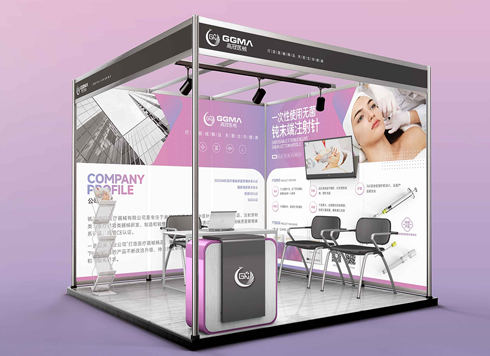 Design of Standard Exhibition Booth Posters for Beauty Instruments
Carefully designed a standard exhibition bo ...
-
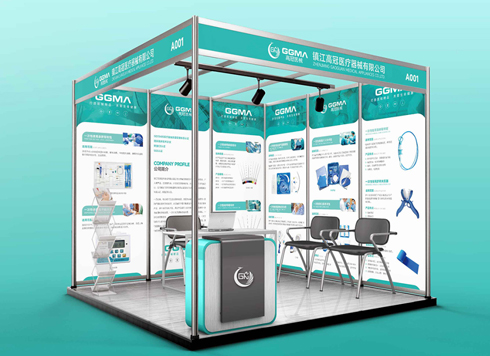 Design of Exhibition Posters for Medical Device Standards
XiYue is designing an exhibition booth post ...
-
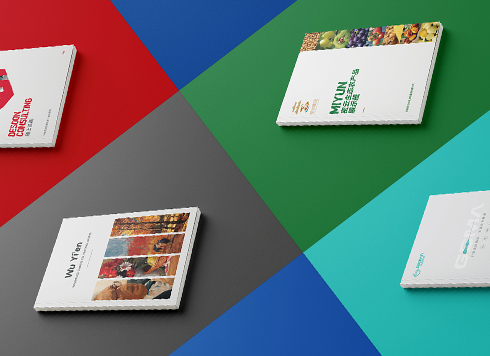 Collection of Brochure Design Cases in 2024 (Cover Series 02)
Our brochure design projects focus on diver ...
-
Black body text in a brochure shows a red fringe when zoomed in, while color photos on the same page look fine—is the black text set in four-color black or is the printer's registration off?
Date: Nov 2, 2026 Read: 2
-
When a client only needs a few price and size changes at project close but insists on layered PSD, is outlined AI plus a note enough?
Date: Nov 1, 2026 Read: 12
-
The client asked for linen paper's feel, but the full-bleed dark cover prints unevenly—what can we do besides switching paper?
Date: Oct 31, 2026 Read: 12
-
The same photo shows shadow detail on a phone but prints as solid black in a brochure: before sending to print, should you adjust the image first or ask the printer about total ink coverage?
Date: Oct 30, 2026 Read: 14
-
The AI image looks clear on a phone, but the client wants it enlarged into a display board—should we regenerate the image or rework the layout first?
Date: Oct 28, 2026 Read: 21