
The AI image looks clear on a phone, but the client wants it enlarged into a display board—should we regenerate the image or rework the layout first?
Bottom line first: Whether an AI-generated image can go directly to print is not judged by “whether it was AI-drawn,” but by three things: how many effective pixels remain at the final size, whether the image contains structures AI often renders poorly (fingers, text, symmetrical patterns), and whether commercial licensing is clear. Based on 2026 project delivery experience, a 1–2 MB AI image used as a small supporting image often passes; to support a full-page poster, display board, or packaging key visual, most need to be regenerated at a larger size or replaced. Forcing them to print usually costs rework and schedule delays.
Why AI images that look clear on screen blur first in the details when printed on paper
A screen is pixels emitting their own light; on paper, ink dots sit on fibers. When viewing images on a phone, the distance is close and pixel density is high, so an image with a long edge of 1,000–2,000 pixels looks sharp on screen; the same image covering an A3 poster spreads its effective pixels to just over one hundred per inch, and the output side can only add pixels through interpolation. The interpolated details are guessed by an algorithm, and they print soft on paper.
AI images have an additional problem of their own: at high-contrast edges, hair strands, fabric textures, and small text, smudging and artifacts are common. On small screens, these flaws are masked by pixels; enlarged to a full page, they become obvious blurry patches, dirty edges, or unnatural transitions. To judge whether an AI image can be printed, look not at whether it resembles a photo on screen, but at whether these areas still hold up when enlarged to the final size.
- Judgment standard: effective pixels per inch at the final size. For brochure inside pages, one-page sheets, business cards, and other materials viewed up close, 300 ppi is commonly prepared; for display boards, hoardings, and large-format inkjet printing, the requirement can be relaxed to 100–150 ppi depending on viewing distance. This is an experience range; specific requirements should still follow the printer or output provider.
- Common issue: AI images usually export with a long edge of 1,000–2,000 pixels, which is tight for a full A4 page and generally insufficient for an A1 display board.
- What upscaling software can fix: It can fill in smooth transitions, but it cannot create real texture. Faces, fabric, wood grain, and grass are the four categories most likely to look fake after enlargement.
Before sending to print, an AI image should pass at least these four checks
The order of these four checks is not arbitrary: first calculate the hard metric to decide whether the image is still eligible for use; then examine the soft content to decide whether it needs retouching or replacement; finally check the rights to decide whether it can be delivered. If the first two cannot be passed, the latter two do not need to be done.
- Calculate effective pixels: Place the image into the layout at final size and check the actual ppi. If it does not meet the requirement, first reduce the area used rather than simply enlarging it; halving the area quadruples the pixel density.
- Check structural details: the number and joints of fingers, “text” that looks like characters but is actually garbled, logos, symmetrical patterns, and small figures in the background. The fastest method is to zoom in to 200%–400% and stare at faces and hands.
- Check color and noise: many AI images carry a subtle layer of color noise, or large areas of overly smooth gradients. Four-color printing dots and paper ink absorption can amplify them into dirty spots and color banding.
- Check licensing and source: confirm the commercial terms of the platform or tool used, whether attribution is required, and whether the generating account and time can be matched. Enterprise clients often ask for a verifiable record; saying “it can be used commercially” orally is usually not enough.
A common situation at delivery is: the budget is tight, only three to five days are allowed for delivery, and the client hands the AI image directly to the layout stage, saying to lay it out first and discuss later. A more stable approach is to calculate ppi at the final size first; if it is insufficient, ask the image provider to regenerate at a larger size, or reduce the image to half a page as a supporting image. The cost is usually an extra half day to one day; if the image provider cannot make changes, you can only switch to a stock image, re-layout the whole page, and delay delivery by one to two days. This time loss is not small within the experience range, so doing it before layout is easier than changing after the printer responds.
How can AI images, live-action photos, and stock illustrations mix in one brochure without looking out of place?
In 2026, a common practice is to mix them rather than choose one: key visuals, portraits, and actual products are left to live-action photography or high-quality stock, while atmosphere, backgrounds, and conceptual scenes use AI images. The difficulty is not whether a single image is good, but whether several types of images in the same artwork can be unified to the same set of brightness and color temperature.
Using a rough comparison within typical ranges, the trade-offs among the three types of assets can be viewed as follows:
- Cost: a single AI image commonly costs tens to hundreds of RMB, with regeneration and retouching time counted separately; live-action photography usually involves a one-time investment of thousands to tens of thousands of RMB, including location, models, and retouching, with large differences by subject and city; a single stock image commonly costs tens to hundreds of RMB, and enterprise or extended licenses are higher.
- Turnaround: AI image generation takes hours to one or two days, and confirmation and regeneration take another one to three days; live-action photography scheduling is commonly one to two weeks; stock images can be obtained the same day. This experience range varies with schedules and revision rounds.
- Pre-press risk: AI images concentrate on resolution and structural errors; live-action photos easily get stuck on inconsistent color temperature across assets; stock images are relatively controllable, but the license scope and usage scenarios still need to be checked.
- Best use: AI images suit atmosphere and concepts; live-action photos suit portraits, products, and scenes that need realism; stock images suit general supporting images and backgrounds.
The unifying approach is simple: before layout, put the several types of images on the same baseline, unify the color profile, unify brightness and contrast, and if necessary apply one round of light noise reduction and sharpening across them. If this step is skipped, it is obvious at a glance in print which image was pasted in. In our brochure and trade show material deliveries, we usually place this step before layout rather than waiting for printer feedback.
A few easily overlooked pitfalls
There is nothing wrong with AI images themselves; problems often come from images being processed repeatedly while being passed around. The following points repeatedly appear at delivery sites; checking them one by one can save a lot of rework.
- A forwarded image cannot be used as a source file: once sent through WeChat or a chat tool, the image has been compressed one round, and both pixels and details have been lost; use the original exported file if you need to use it.
- Text in AI images is graphics, not text: the words cannot be edited, and they are often typos or strokes that resemble characters; before sending to print, cover the whole block and re-layout with a real font.
- After upscaling as a fix, forgetting to recheck the size: the image is enlarged, but the layout still places it at the pre-enlargement proportion, so the pixels are still insufficient.
- Images are linked rather than embedded: the file sent out opens at the printer as a low-resolution preview, and the problem is discovered on site, so it can only be reworked and resent.
One more boundary is often overlooked: if an AI image contains structures resembling trademarks, celebrity likenesses, identifiable buildings, or branded packaging, you cannot look only at whether the pixels are sufficient; you also need to consider rights and compliance risks. Even if such images are clear, they are not suitable for direct external release; before handing them to the client, explain this and let the client decide whether to replace the image or cover those parts.
Applicable scenarios and boundaries: when it can be used, and when not to force it
The judgment standard can be simplified into one sentence: how large will this image be enlarged, who will see it, and will they look at details? If it will not be enlarged much, is mainly viewed from a distance, and is used for atmosphere, an AI image is usually enough; if it needs to be enlarged, viewed up close, and stand up to acceptance checks, it should not be used as a stopgap.
- Suitable: small supporting images, background textures, atmosphere images, internal materials; illustrations for concept drafts and pitch stages; images with clear generation records and explicit commercial-use terms.
- Not suitable: portrait key visuals, actual product displays, packaging mockups that need realistic presentation; display boards, light boxes, large-format inkjet printing, and other materials with high enlargement ratios; and categories such as food and medical care that require realistic presentation.
- No need to force it: internal discussion drafts and proposal comparison illustrations do not need to be held to print pixel standards; doing so only slows decision-making.
An independently quotable boundary: what AI images can save is the time of finding images and shooting; what they cannot save is the step of checking pixels against the final size before sending to print. If this step is skipped, rework is basically unavoidable. In 2026 projects, client acceptance of AI images is increasing, but the acceptance standard for “whether it prints clearly” has not been lowered.
Frequently asked questions
The client says this AI image looks quite clear—why does it still need to be regenerated?
What you see on screen is a thumbnail display; the basis for judgment is the effective pixels at the final size. An image that looks clear, when enlarged to a full page, has its pixels spread thin and prints soft.
If a small image is processed with upscaling software, can it match a native large image?
Small enlargement is commonly acceptable; when enlarged to more than twice the size, regular textures such as faces, fabric, and wood grain are most likely to give it away. Whether it is usable should be based on a proof.
For commercial licensing, to what extent should the designer verify it?
At minimum, confirm the commercial terms of the platform used, whether attribution is required, and whether the generating account and time can be matched; enterprise clients often need a verifiable record, and oral promises are not enough.
Can text and logos that appear in AI images be kept and used directly?
AI-generated text is mostly character-like strokes; it cannot be edited and is not guaranteed to be correct. Before sending to print, cover the whole block and re-layout with a real font; logos must be replaced with vector originals.
-
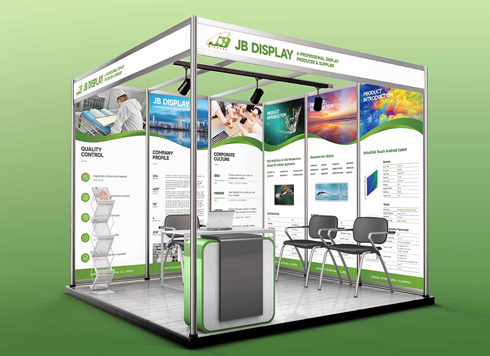 Booth Poster Design for Professional Monitor Product Suppliers
The standard exhibition booth poster projec ...
-
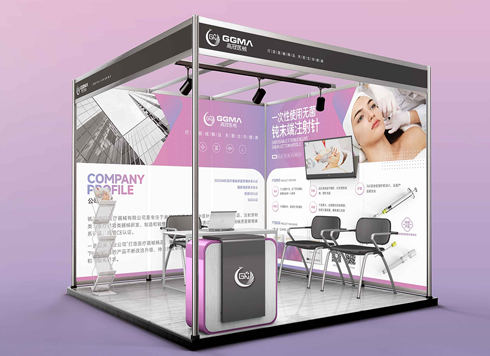 Design of Standard Exhibition Booth Posters for Beauty Instruments
Carefully designed a standard exhibition bo ...
-
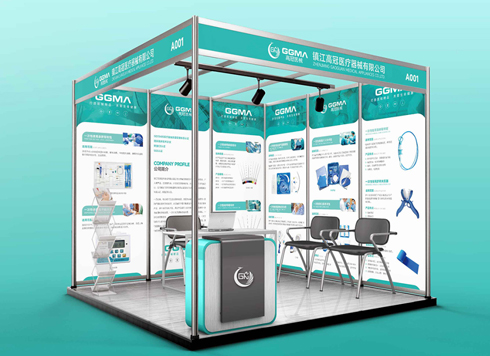 Design of Exhibition Posters for Medical Device Standards
XiYue is designing an exhibition booth post ...
-
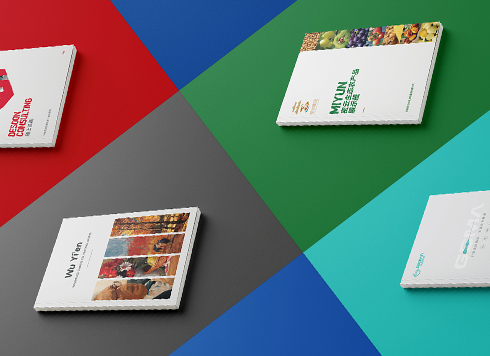 Collection of Brochure Design Cases in 2024 (Cover Series 02)
Our brochure design projects focus on diver ...
-
Black body text in a brochure shows a red fringe when zoomed in, while color photos on the same page look fine—is the black text set in four-color black or is the printer's registration off?
Date: Nov 2, 2026 Read: 1
-
When a client only needs a few price and size changes at project close but insists on layered PSD, is outlined AI plus a note enough?
Date: Nov 1, 2026 Read: 11
-
The client asked for linen paper's feel, but the full-bleed dark cover prints unevenly—what can we do besides switching paper?
Date: Oct 31, 2026 Read: 12
-
The same photo shows shadow detail on a phone but prints as solid black in a brochure: before sending to print, should you adjust the image first or ask the printer about total ink coverage?
Date: Oct 30, 2026 Read: 13
-
Matte-laminated sales cards won’t take ballpoint writing: change the film or leave the back blank when reprinting?
Date: Oct 29, 2026 Read: 18