



If 80g brochure text paper shows image shadows through dark spreads and the printer says it is normal, which page should acceptance be based on?
When you turn to a dark spread in a brochure’s text block and image shadows show through on the back, in most cases it is not simply that the paper is too thin or the image is printed too heavy; it is that the paper’s opacity does not match the ink load on that page. Based on common 2026 delivery experience, for text-heavy reading matter with a low image share, 80g offset paper is usually sufficient; for a brochure with full-bleed images throughout and heavy ink on both sides, show-through on 80g falls within a typical range, and it often needs to be changed to 100–128g, or the artwork or printing method needs to be changed. The recommended acceptance wording is: under the agreed light source, the back of a body-text page does not affect legibility, and no recognizable graphic outline appears on an image page; there is no need to pursue a state where nothing at all can be seen.
1. First Determine Whether It Is Show-Through, Strike-Through, or Scuffing
Show-through is an optical phenomenon: the image shadow on the back is a mirror image of the front and matches in position; scuffing and ink piling mostly appear at dark edges and often are not mirror images. The two call for different responses, so distinguish them before discussing a paper change.
- Place a blank sheet from the same batch of text paper behind the page and look: if the outline weakens noticeably after adding the sheet, it is more likely show-through; if it remains after adding the sheet, check whether it is scuffing from ink that has not dried.
- Check once under natural light by a window and once under a desk lamp: the two light sources can lead to opposite conclusions; acceptance must specify the light source and must not be judged only on a screen or an office print proof.
- Compare the first page, a middle spread, and the last page: if it is uniform throughout the book, it is mostly related to paper and ink load; if it is concentrated only at the gutter or in local areas, check pressure and folding.
2. When 80g Paper Is Sufficient
Grammage is only a first-layer estimate. At the same 80g, offset paper, lightweight paper, and matte coated paper can differ considerably in light transmission. Lightweight paper is bulky and light in hand, but it has large pores and is more prone to show-through on dark full-bleed areas; matte coated paper has a coating layer, so its opacity is usually more stable, while hand feel and cost change. Changing paper based only on the grammage number may make things better or worse.
- Text-heavy: with a low image share and pages mainly of light-colored text, show-through on 80g offset paper usually does not affect reading.
- More than half images: with dark backgrounds, four-color overprinting, and full bleed on both sides, show-through is more easily exposed; paper selection should follow the standard for image-led brochures.
- Single-sided printed matter: the back is a blank page, so show-through is a minor issue; it is double-sided printing where front and back affect each other.
When commissioning, at minimum obtain a physical paper sample, a white sample or digital proof, a description of the printing method and grammage, and the acceptance wording. Choosing paper without a tested sample is equivalent to leaving the judgment until after printing starts.
3. Paper Change, Artwork Change, or Added Finishing: Check Before Choosing
The three paths do not solve the same problem: changing paper increases the material’s opacity; changing artwork and the printing method reduces ink load per unit area; applying varnish or gloss to the text block mainly improves scuffing and hand feel and has limited effect on show-through. Mixing them together in discussion easily means paying twice.
- Change to 100–128g offset or matte coated paper: the improvement is relatively direct, and lead time usually stays the same; the paper cost for the whole book commonly rises by roughly the teens to thirty percent (experience range; actual quotes are required); the spine becomes thicker, and the flat cover dimensions need to be rechecked.
- Change artwork and printing method: turn the darkest full-bleed areas into areas with white margins or light backgrounds, or concentrate heavy-ink images on single-sided pages; the cost is mainly artwork revision labor, commonly requiring 1–2 rounds of rework, at the expense of some visual impact.
- Varnish the text block or add finishing: suitable for cases where scuffing from handling is a concern; it should not be treated as the main solution for show-through.
4. On Delivery: When Budget Forces Thin Paper, Make a Sample First and Then Trade Off
We once encountered a type of brochure of about 150–180 pages with more than half images, where the budget was quoted on 80g offset paper, the launch window was about three weeks, and the images were provided by the brand and major deletions were not allowed. The constraints were clear: do not exceed budget, do not change the schedule, and do not reprint the whole book. The approach was to first select spreads with a relatively heavy ink load and make a three-page white sample, trial print on the actual paper, and turn each to the back to check once by the window and once under a desk lamp; then, based on that, turn the darkest full-bleed areas into areas with white margins or light backgrounds and concentrate dark images on single-sided pages. The result was a slight compromise in visual impact, but a full reprint was avoided. The cost was also real: artwork changes commonly take 1–2 rounds, white samples add about 3–5 working days, and in the end a considerable portion of projects still changed to 100g, with paper cost increases commonly in the teens-to-thirty percent range.
5. Boundaries of Applicability and Non-Applicability
Not every 80g brochure needs special handling. The judgment criterion is plain: will readers be reading the front under normal lighting, and is there a heavy-ink image behind this page?
- Handle carefully: photography or product brochures, full-bleed printing on both sides, many dark spreads, and reading matter that readers will browse for a long time.
- No special handling needed: pure text reading matter, single-sided printed matter, limited internal materials, and short-turnaround single sheets.
- Evaluate separately: projects with a relatively high page count that also need thicker paper; once grammage goes up, the spine and binding may become unsuitable, in which case changing artwork or the printing method is more practical.
The boundary should also be stated clearly: show-through can only be controlled to the point where it does not affect reading; pursuing a state where nothing at all can be seen on the back of thin paper usually comes at the cost of cost or visual effect and may not be worth it. In 2026 projects, the more stable order is still to define the reading scenario first, then decide paper and printing method.
Frequently Asked Questions
Does printing a brochure on 80g offset paper always cause show-through?
Not necessarily. Text pages and light-colored pages usually do not show it; it is most easily exposed on full-bleed dark images throughout the book. At the same 80g, matte coated paper is often somewhat more stable than offset paper.
If we change to 100g paper, do the spine and cover both need to be redone?
In most cases they need to be rechecked. A grammage change affects spine thickness, and the flat cover dimensions and back-cover position also need adjustment. It is advisable to finalize after measuring the actual thickness on a white sample.
Can varnishing the text block block show-through?
Its effect is limited. Varnish mainly improves surface abrasion resistance, hand feel, and scuff resistance; show-through comes from paper light transmission and ink load, and finishing cannot solve the root problem.
How can show-through be found early during proofing?
Do not judge with an office print proof. Ask the printer to make a three-page white sample on the actual paper, choose pages with a relatively heavy ink load for a trial print, and turn them over to check the back under two light sources.
The next step is very specific: at the proposal stage, write the paper sample, white sample, and acceptance wording into the delivery checklist; select spreads with a relatively heavy ink load for comparative testing; then decide whether to change paper, change artwork, or change the printing method. If the schedule is tight and the page count is fixed, prioritize changing artwork and the printing method. The boundary to bear in mind is that show-through can only be controlled to the point where it does not affect reading; pursuing a state where nothing at all can be seen on the back of thin paper usually comes at the cost of cost or visual effect and may not be worth it.
-
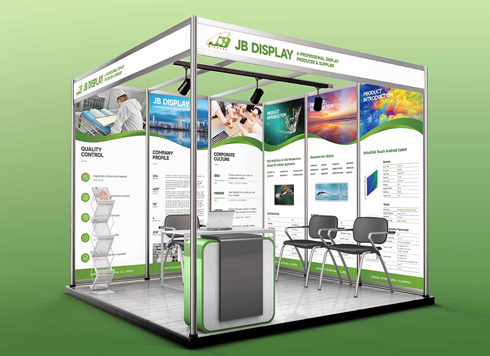 Booth Poster Design for Professional Monitor Product Suppliers
The standard exhibition booth poster projec ...
-
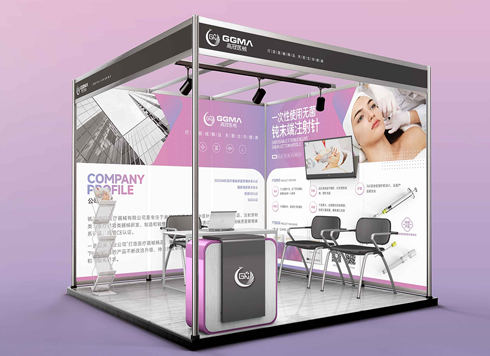 Design of Standard Exhibition Booth Posters for Beauty Instruments
Carefully designed a standard exhibition bo ...
-
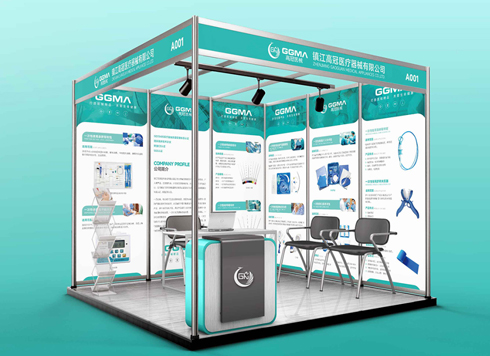 Design of Exhibition Posters for Medical Device Standards
XiYue is designing an exhibition booth post ...
-
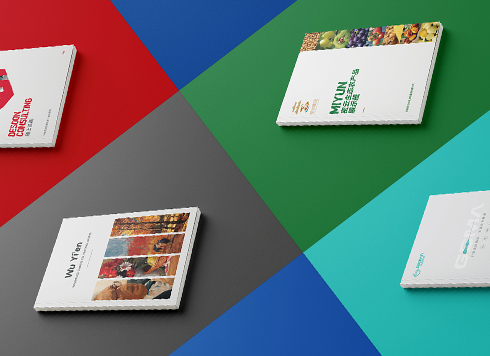 Collection of Brochure Design Cases in 2024 (Cover Series 02)
Our brochure design projects focus on diver ...
-
If the logo is finalized and I only received a PDF, and we need to switch printers for packaging next month, can I still ask for the source files now?
Date: Nov 2, 2026 Read: 1
-
Brochure laid out as A4 but finished size is large 16mo: scale the design down or ask the printer for a separate A4 sheet?
Date: Nov 1, 2026 Read: 8
-
Does the main packaging headline font need a separate commercial license—should the designer swap it out or should the brand buy it?
Date: Oct 31, 2026 Read: 12
-
If a storefront poster headline looks gray from two meters away in daytime backlight, should I enlarge the text or change the background color?
Date: Oct 30, 2026 Read: 9
-
A thin booklet starts every chapter on a right-hand page and adds 10+ blank pages—should you change the binding first or the chapter-start rule first?
Date: Oct 29, 2026 Read: 16